
Returns keywords suggestions by app, category, trend or volume change.
The Keyword Suggestions endpoints allow you to retrieve a list of keywords that are performing well for an app, a category, or in general in the app stores.
Top Installs
Get a list of recommended keywords based on an app ID. The keyword suggestions are keywords for which the selected app ranked in the top 100 search results at least once in the last 90 days. You can sort the list by "score", "ranking", or "volume".
The "score" is an indicator between 0 and 100 that estimates how much a keyword drives downloads for the selected app. The higher the number, the more downloads the keyword is estimated to drive. The score is meant to give an insight on how well keywords perform for an app, country and device.
The "ranking" is the most recent position of an app in the search results for a keyword that AppTweak has been able to gather.
The "volume" is a score between 5 and 100 that shows how popular a keyword is in terms of searches. The value shown is the latest volume value AppTweak has been able to gather.
You can also select the sort direction. By default the sort direction is set to provide the best recommendation first, i.e.
- "descending" for "score"
- Keywords with the highest score are returned first. These are the keywords that should drive the most downloads.
- "ascending" for "ranking"
- Keywords for which your app is ranking the highest are returned first.
- "descending" for "volume"
- Keyword for which your app is ranking at least once in the top 100 over the last 90 days AND has the highest volume.
The Keyword Suggestions by App will vary every day with the ranking of the apps on keywords.
Top Category
Get a list of popular keywords for a category. This is computed by looking at the best keywords for the top 50 apps of a category. The most recent top chart is taken into account and the keyword suggestions are computed every day. The keyword list is ordered by descending keyword volume.
For each keyword suggestion, you'll get the keyword volume and the keyword difficulty.
Top Growth (iOS only) -- deprecated
Get a list of keywords that have experienced the biggest change over the selected date range. You can choose to filter by 'positive delta' to see keywords that gain volume search or 'negative delta' to see keywords that have lost volume search over the selected time period. The keywords are sorted by descending volume change (highest volume change first).
Discover (iOS only)
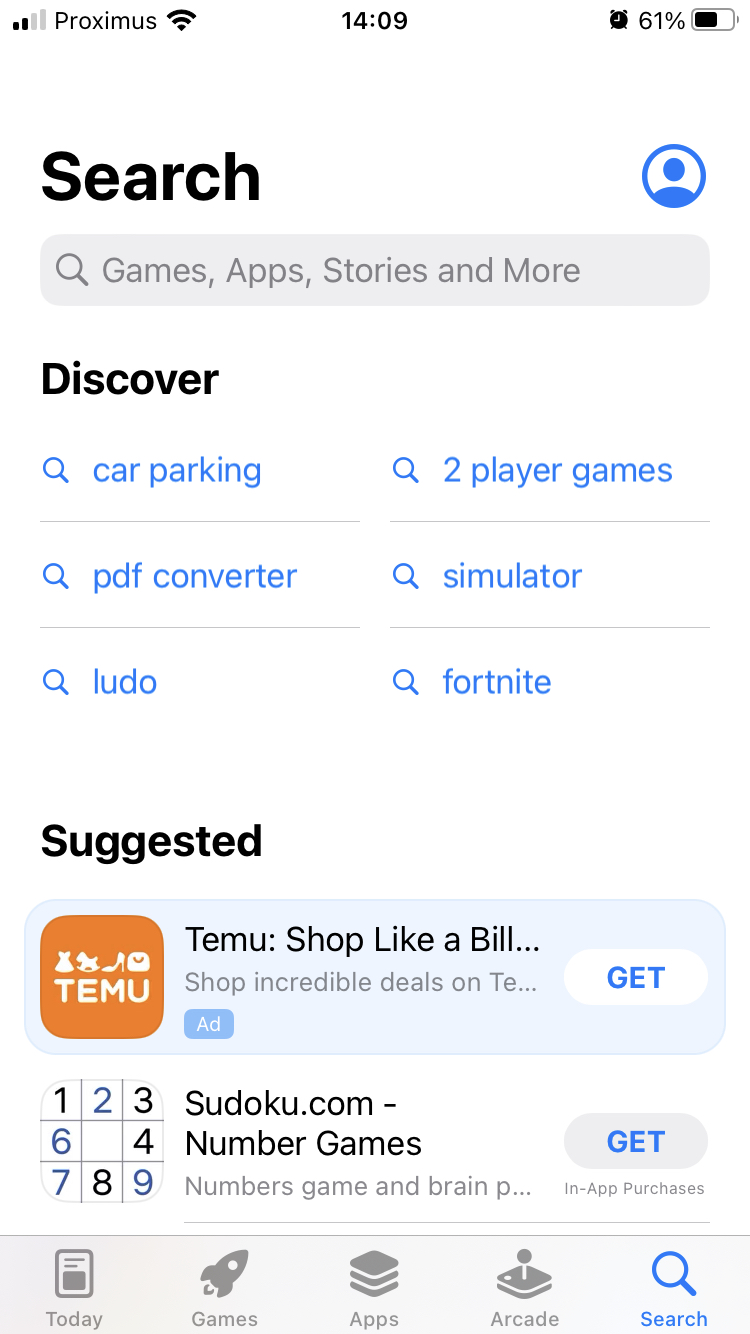
Get a list of trending keywords for a selected date range. The trending keywords are the keyword suggestions that Apple displays in the tab “Search” before the user has started typing. Every day we fetch all trending keywords.
The number of occurrences of the keywords during the selected date range are indicated in the response. An occurence corresponds to a keyword appearing one day. The list of keywords is sorted by descending keyword occurrences (highest number of occurrences first).
FAQs
How do I find new app store keywords to target based on my app's existing rankings?
You can pull keyword ideas from an app's own ranking history with AppTweak's Keyword Suggestions - Top Installs endpoint (GET /keywords/suggestions/app.json). Pass up to 5 app IDs via apps, plus country, language, and device. It returns every keyword the app ranked in the top 100 for at least once in the last 90 days, each with a score (0-100, how much the keyword is estimated to drive downloads), its current ranking, and its volume. Sort with sort (score, ranking, or volume).
How do I discover popular app store keywords in a specific category?
You can pull category-wide keyword ideas with AppTweak's Keyword Suggestions - Top Category endpoint (GET /keywords/suggestions/category.json). Pass up to 5 category IDs via categories, plus country, language, and device. The results are computed from the best-performing keywords across the top 50 apps in that category's most recent top chart, refreshed daily, and returned sorted by descending volume with each keyword's difficulty alongside it — useful for scoping keyword targets before you have an app ranking anywhere yet.
What's the difference between keyword suggestions by app and by category?
The two Keyword Suggestions endpoints source ideas differently: Top Installs looks at where one app already ranks, while Top Category looks at what's working across an entire category. Top Installs (GET /keywords/suggestions/app.json) mines up to 5 apps' own top-100 rankings from the last 90 days. Top Category (GET /keywords/suggestions/category.json) instead aggregates the best keywords across the top 50 apps in a category's current chart. Use Top Installs to expand on keywords tied to an app you or a competitor already run; use Top Category to find opportunities independent of any single app.
Is there an API for the trending keywords Apple shows before a user types anything?
Yes — AppTweak's Keyword Suggestions - Discover endpoint (GET /keywords/suggestions/trending.json) returns the trending keywords Apple surfaces in the App Store's Search tab before any text is entered. It's iOS only (device accepts iphone or ipad). For a start_date/end_date range, it returns each trending keyword with its occurrences count — the number of days it appeared during that range — sorted by descending occurrences, since AppTweak fetches the full trending list daily.
How do I automate keyword discovery for an app store optimization workflow?
You can chain the three Keyword Suggestions endpoints into an automated discovery pipeline: Top Installs for an app's own untapped rankings, Top Category for category-wide opportunities, and Discover for iOS trending terms. Each returns a plain JSON list of keywords with the metrics needed to prioritize them (score, ranking, volume, difficulty, or occurrences, depending on the endpoint), so a script can pull all three on a schedule, merge the keyword lists, and feed new candidates into further keyword-metrics lookups without manual review.